UPSC News
UPSC Notification 2026 Explained: New Changes, Form Filling Process, and Mistakes to Avoid
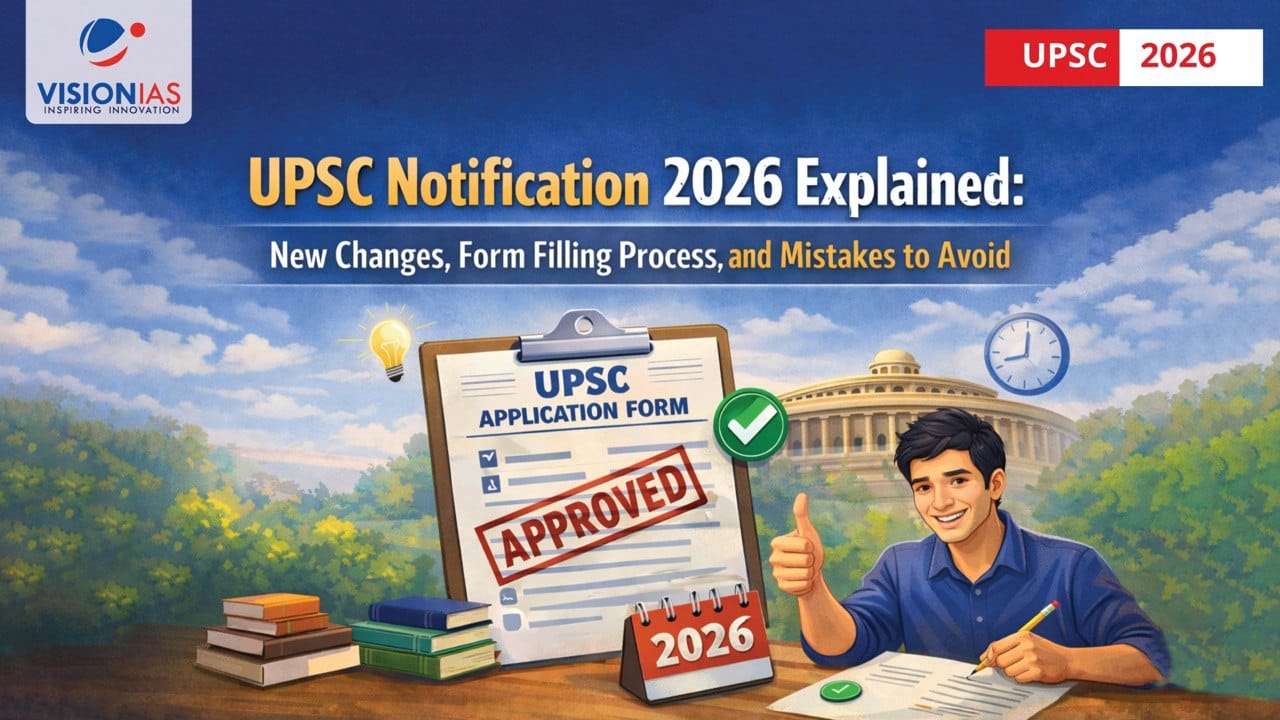










The UPSC CSE 2026 Notification, released on 4 February 2026, formally begins the Civil Services Examination cycle with approximately 933 vacancies and an application window open until 27 February 2026 (6:00 PM).
Beyond announcing dates and vacancies, this year’s UPSC notification introduces important procedural changes in the online application system, profile management, and eligibility-related rules. Understanding these changes is essential before proceeding with the UPSC form filling process.

New Changes in UPSC Notification 2026
As part of the UPSC new rules under the UPSC Notification 2026, the following changes have been introduced in the application and examination process:
A) UPSC Online Portal divided into 4 Cards / Modules
As per UPSC notification, the UPSC Online Application Portal has four parts, arranged in 4 separate cards at the home page, three of which namely, Account Creation, Universal Registration and Common Application Form are common to all examination applications and can be filled anytime by the candidates.
The fourth part i.e. Examination displays the examination notices as and when notified, Examination Application link and applications status. Applications can be filled during the time period allowed in the notification of an examination.
All applicants are required to fill up the application and upload their documents in the newly introduced portal afresh. The old One Time Registration (OTR) module will not be applicable henceforth
B) Live Photo Capture for filling up of Common Application Form (CAF)
As per UPSC notification, applicants must upload a recent photograph and also capture a live photograph during CAF filling, either through webcam or mobile QR. The live photo must be clear, well-lit, and match the uploaded photograph; any mismatch may lead to application rejection.
C) Upload Triple Signature for filling up of Common Application Form (CAF)
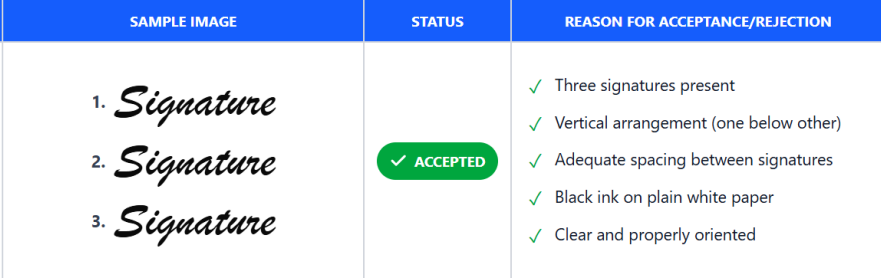
As per UPSC notification, applicants must sign three times vertically (one below the other) on plain white paper using black ink and upload it as a single JPG file (20–100 KB, 350–500 px) with proper spacing, upright orientation, and filename as signature.
D) Face Authentication for Candidates at the Examination Venue
As per UPSC Notification, in order to ensure a secure and smooth examination process, all candidates will be required to undergo face authentication at the examination venue mandatorily. Candidates are advised to enter the examination venue well in time for face authentication/identity verification and frisking
E) One-Time URN (Universal Registration Number) Profile Update Facility
URN is the permanent Universal Registration Number generated after completing personal details. It remains constant for all future UPSC applications, while the Application Number changes with each exam.
As per UPSC Notification 2026, candidates are allowed to update their URN profile only once. Any changes made in the URN will not affect applications already submitted and will apply only to future applications after the URN profile is re-locked.

F) Pratibha Setu Portal (erstwhile Public Disclosure Scheme):
Candidates reaching the Interview/Personality Test stage but not recommended may have their details shared on the Pratibha Setu Portal for employment opportunities.
Information such as educational qualification, contact details, and percentage (not marks) may be made accessible to registered Government and PSU organizations. Consent is required while filling the exam-specific module; candidates may choose to opt out. Once opted in, the choice cannot be modified later.

G) Aadhaar-Based Verification Encouraged
- UPSC Notification 2026 strongly recommends using Aadhaar as the primary identity document for faster verification across exam stages.
- Candidates may alternatively use other valid government IDs: Voter ID, PAN Card, Passport, Driving Licence.
- Aadhaar usage helps minimize verification delays and improves identification accuracy.
H) Correction Window for Application Form (Prelims 2026)
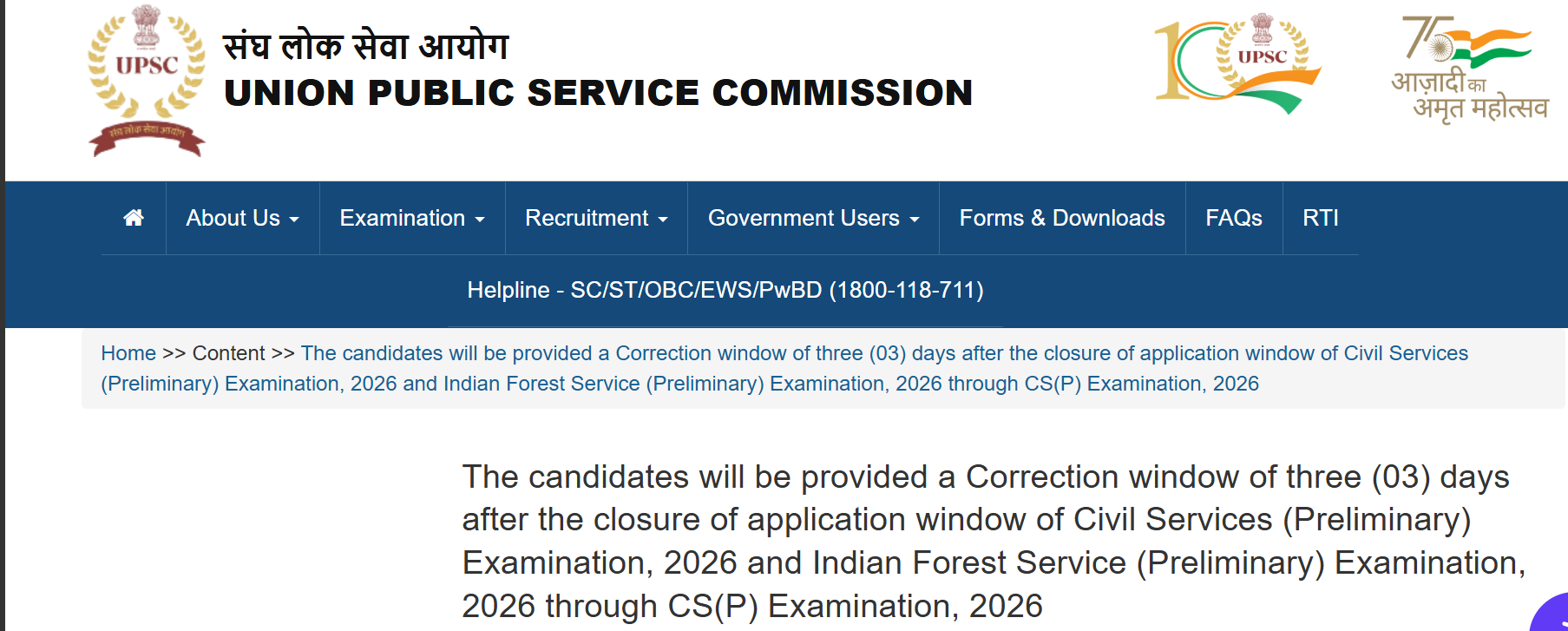
In another important update, UPSC has announced that candidates will be provided a Correction Window of three (03) days after the closure of the application window for the Civil Services (Preliminary) Examination, 2026 and Indian Forest Service (Preliminary) Examination, 2026 through the CS(P) Examination, 2026.
During this correction window, candidates will be allowed to rectify errors in their submitted application forms as per the guidelines specified by the Commission.
I) Updation Window for Service Preference Change
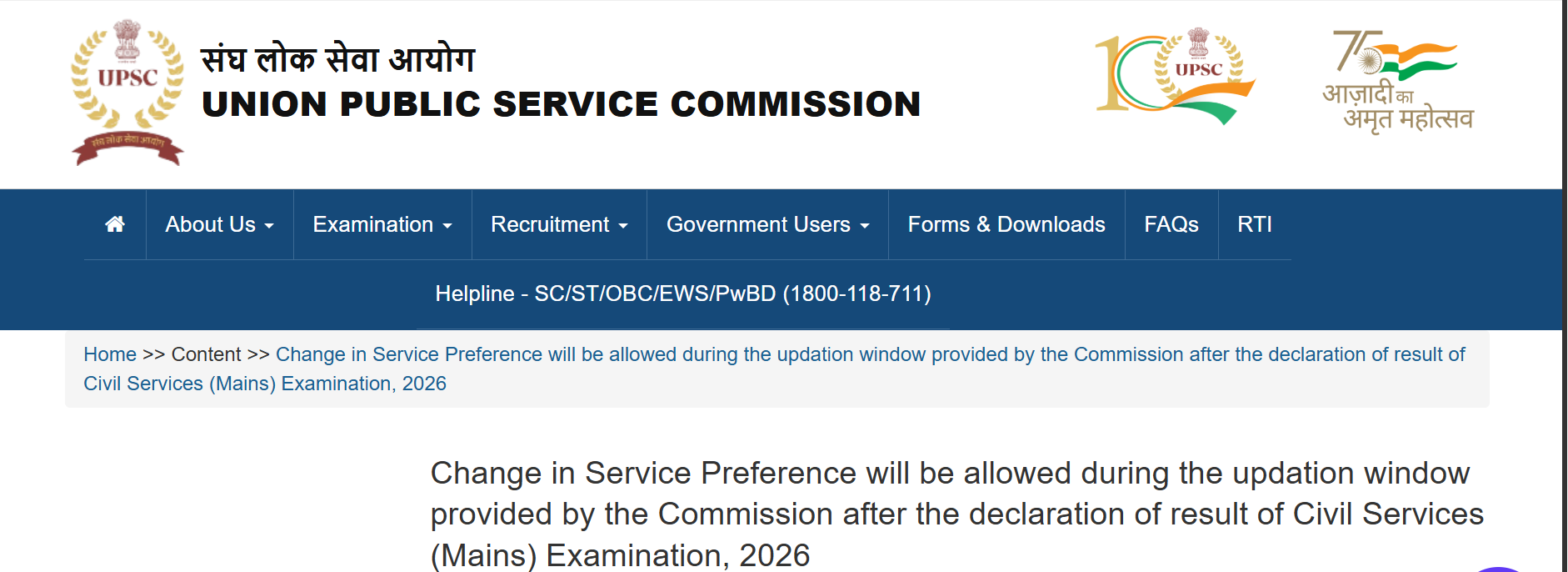
In a significant recent update, UPSC has allowed candidates to change their service preference during the updation window after the declaration of the UPSC Civil Services (Mains) 2026 result.
J) Restrictions on Applying for Examination
The UPSC CSE 2026 notification introduces a very important clarification regarding who can apply, who cannot apply, and under what conditions a serving/allocated officer can reappear.


This section is crucial for candidates who are already allocated a service through earlier Civil Services/Forest Services examinations. As per the notification issued by the Union Public Service Commission, the following rules apply:
- Absolute Restriction – Cannot Apply for CSE 2026: A candidate already appointed to IAS or IFS from an earlier CSE cannot appear in CSE 2026 at all. Even if such an appointment happens after Prelims 2026, the candidate will not be permitted to write Mains or be considered for service from CSE 2026.
- Special Rule for IPS Officers: A candidate already appointed to IPS from an earlier CSE can apply and appear in CSE 2026. However, such a candidate cannot opt for IPS again while filling service preferences.
- One-Time Improvement Rule (Linked to Training Exemption): If a candidate is allocated IPS or any Group ‘A’ Central Service through CSE 2026, UPSC permits one improvement attempt in CSE 2027. This is allowed by availing a one-time exemption from training, and this facility is available only once.
- If Training Is Neither Joined Nor Exemption Availed (CSE 2026): If a CSE 2026 selectee neither joins training nor avails the exemption, the service allocation of CSE 2026 stands cancelled.
- Appearing in CSE 2027 After Taking Exemption: If a candidate appears in CSE 2027 after availing the exemption and secures a better service, the candidate must choose between the 2026 and 2027 allocations. The other service allocation is automatically cancelled.
- Appearing in CSE 2027 but Not Securing Any Service: If the candidate does not secure any service in CSE 2027, he or she is allowed to go back and join the service allocated through CSE 2026.
- Not Joining Training of the Finally Chosen Service (2026/2027): If the candidate does not join the training of the finally chosen service, whether from 2026 or 2027, both service allocations get cancelled.
- Restriction After Using the One Improvement Attempt: After availing the one improvement attempt in CSE 2027, the candidate cannot appear in CSE 2028 onwards unless resignation from service is submitted.
- Candidates Already in Any Service from CSE 2025 or Earlier: Such candidates are allowed one opportunity to appear in either CSE 2026 or CSE 2027 without resigning from their allocated service. If they wish to appear beyond this, resignation becomes mandatory.
- Appearing in CSE 2028 or Later: Candidates from the above category must resign from the currently allocated service before applying for CSE 2028 or any later examination.
This clarification ensures that multiple service allocations, training exemptions, and repeated attempts are regulated strictly. Aspirants currently in service or training must evaluate their decision to reappear in UPSC CSE 2026 carefully in light of these restrictions.

How to Fill UPSC CSE 2026 Application Form: Step-by-Step Guide
The UPSC CSE 2026 notification clearly specifies that candidates must apply only through the official online portal (https://upsconline.nic.in). Understanding the application workflow in advance helps avoid last-minute errors that often lead to rejection or cancellation of candidature.
As per UPSC notification, the UPSC online application system is structured into four distinct modules/cards, each serving a specific purpose.
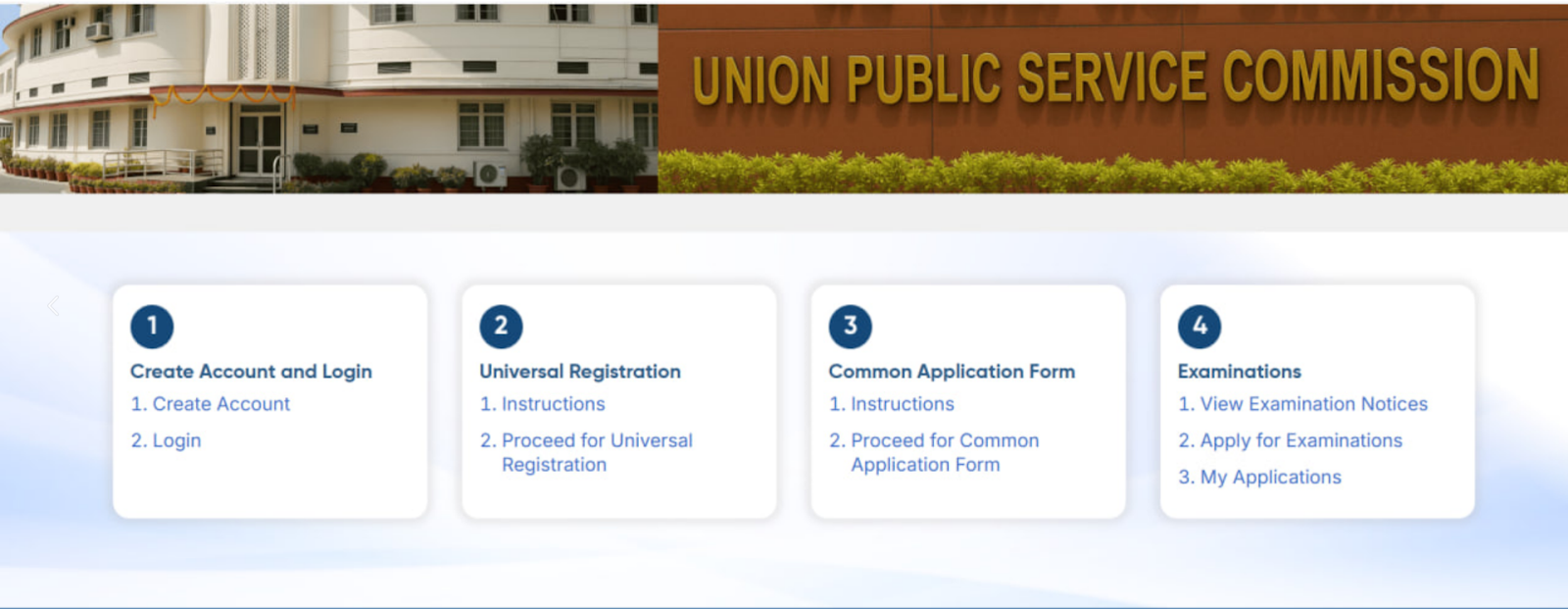
Step 1: Account Creation on UPSC Online Portal
Candidates must first visit the official application portal: https://upsconline.nic.in
The application process begins with Account Creation, where candidates register using a valid and active email ID and mobile number. All future communication from UPSC, including admit card updates, is routed through the registered credentials.
Step 2: Universal Registration Number (URN) Generation
After account creation, candidates must complete the Universal Registration (UR) module. For any future UPSC application URN will be reused.
- On successful completion, a Universal Registration Number (URN) is generated.
- The URN is permanent and remains valid for all future UPSC examinations.
- Candidates need to create the URN only once in their lifetime.
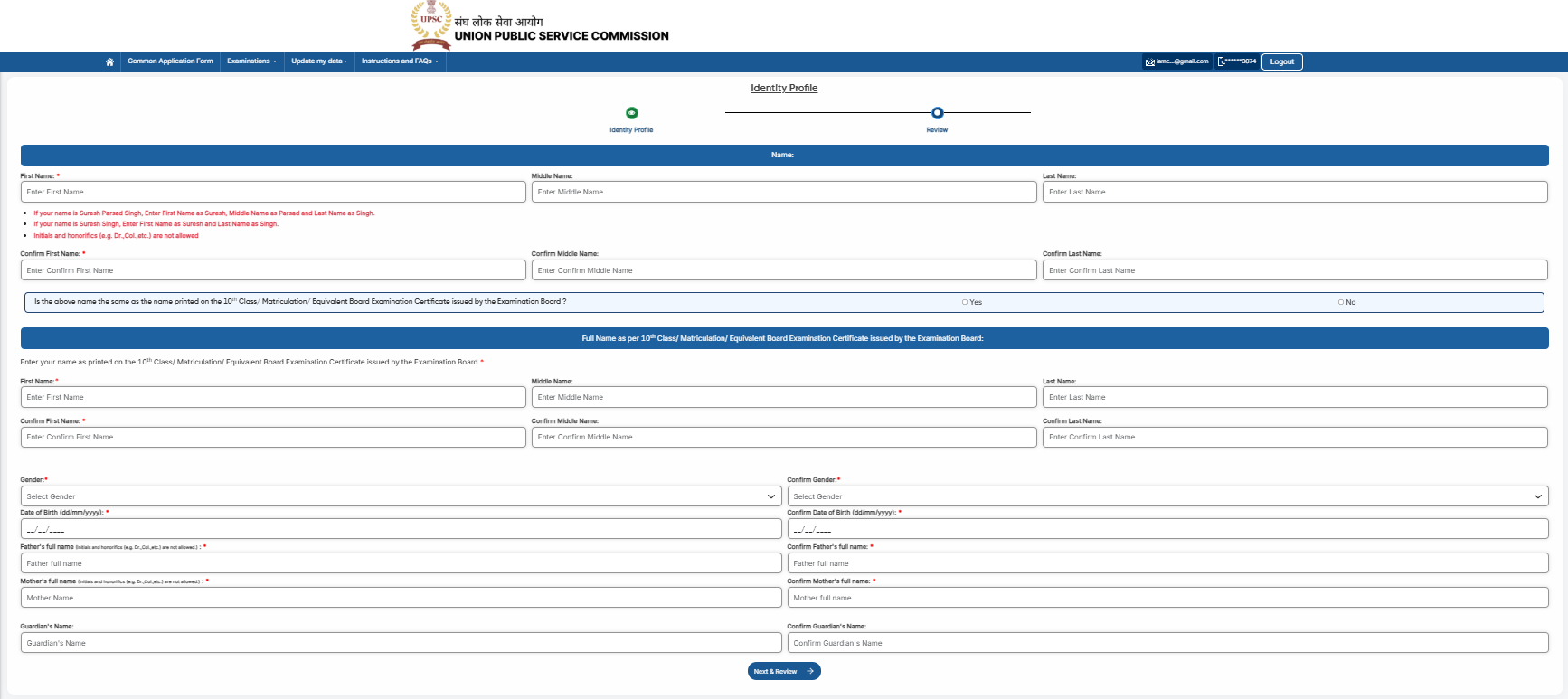
Click to Read UPSC instruction on Identity Profile
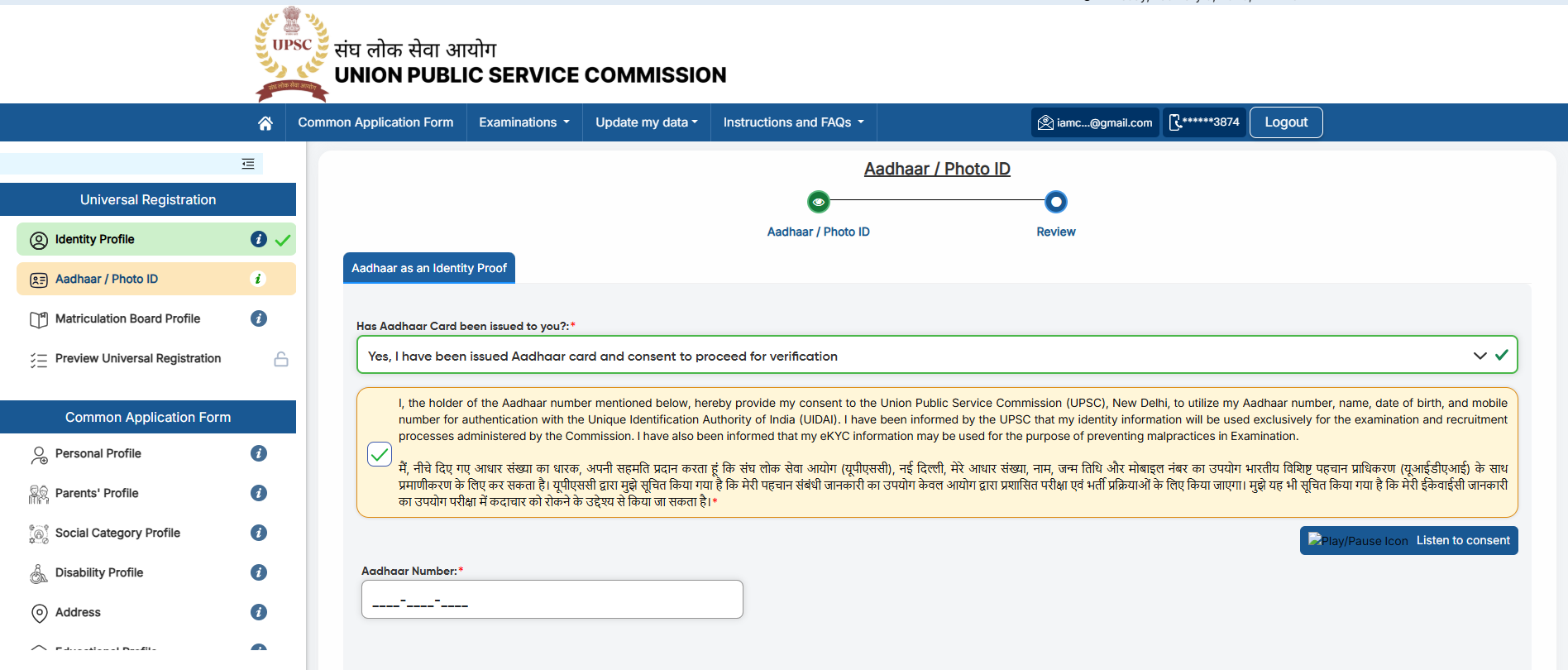
Click to Read UPSC instruction on Aadhaar/Photo ID Profile
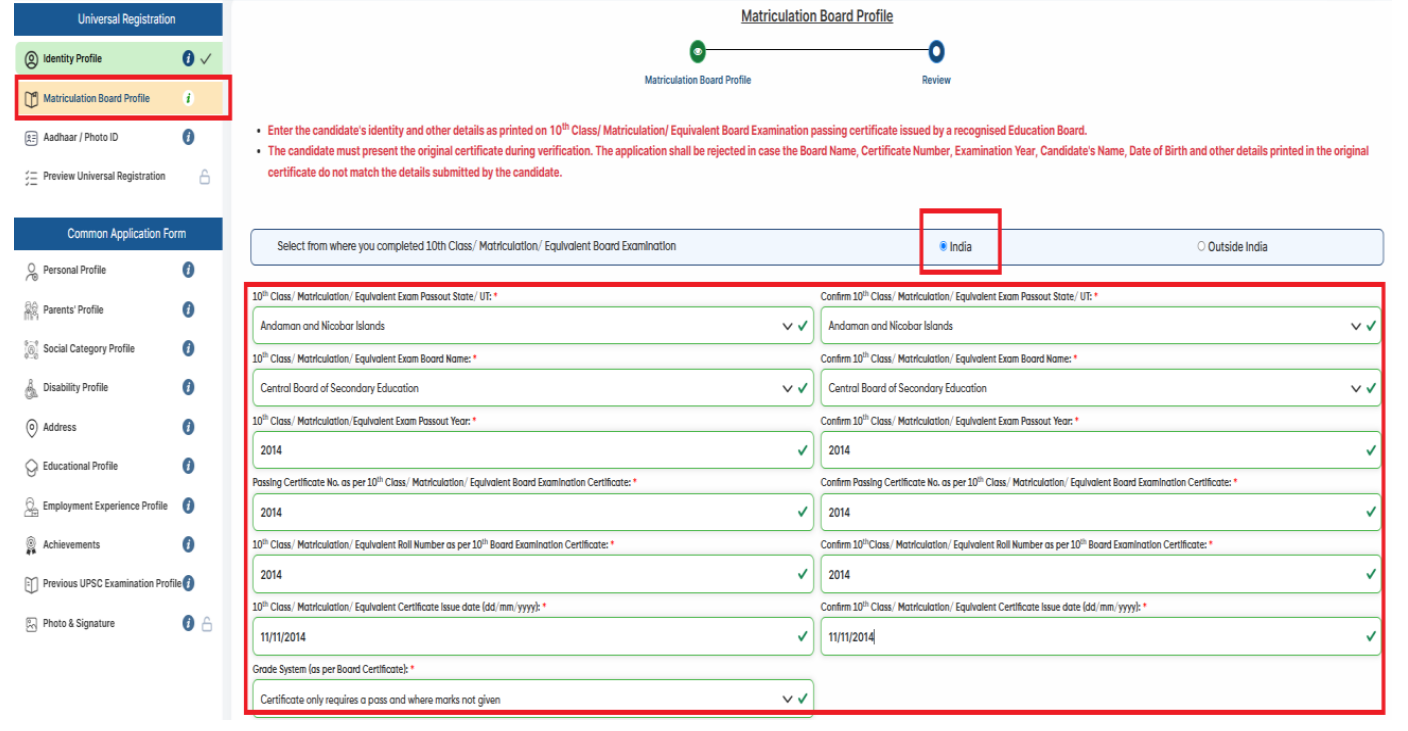
Click to Read UPSC instruction on Matriculation Board Profile
Step 3: Filling the Common Application Form (CAF)
The next stage is the Common Application Form (CAF), which is also common across UPSC examinations. The Common Application Form has 10 profiles / modules. You are allowed to fill these profiles/modules in any order of your choice except the last one i.e. Photo and Signature profile. The profiles / modules are:
Step 4: Examination Specific Module – UPSC CSE 2026
Before proceeding to this module, candidates must lock their Common Application Form (CAF). Once locked, the CAF details cannot be edited for this examination cycle and will be carried forward into the Examination Module for verification.
The fourth and final card is the Examination Module, available only during the application window specified in the UPSC CSE 2026 notification.
In this module, candidates must:
- Select Civil Services Examination 2026
- Choose examination centre preferences for Prelims and Mains
- Pay the examination fee (if applicable)
- Submit the final application form
Once submitted:
- An Application Number is generated (exam-specific and different from URN)
- No withdrawal or correction is permitted after final submission
Both URN and Application Number must be preserved for all future communication with UPSC.
Read UPSC General Instruction for filling Form
Important Official UPSC Instructions Candidates Must Note
- Applications can be submitted only online; no other mode is permitted
- Last date to apply: 27 February 2026 (till 6:00 PM)
- UPSC allows a one-time update of URN profile, but changes do not apply to already submitted forms
- Failure to upload required documents or provide correct information will result in cancellation of candidature
- Candidates are advised to prepare documents in advance to ensure a smooth application process.
In case of any doubts do reach at UPSC Helpdesk for technical clarifications.
Click to read UPSC instructions on uploading document

Helpdesk for Candidate
As per UPSC Notification 2026, “the Commission has established a dedicated helpline to assist the candidates during the application process. Candidates seeking clarification, guidance, or assistance related to the application process or examination details can contact the helpline no. 011-24041001 or email ID – upscoap@nic.in.
The helpline will be operational from 10:00 AM to 5:30 PM on all working days during the application window i.e from 04.02.2026 to 27.02.2026. Applicants may utilize this service for any issues relating to the application process, including fee payment, uploading of documents, etc.”
Common Mistakes to Avoid While Filling the UPSC CSE 2026 Application Form
- Read the UPSC CSE 2026 notification fully before starting the form.
- Do not assume the old OTR process applies this year.
- Verify all details before locking the Common Application Form (CAF).
- Ensure Name and DOB exactly match the Matriculation Certificate.
- Follow photo, live photo, and signature instructions precisely.
- Enter correct details during URN creation.
- Fill Social Category and certificate details exactly as per records.
- Fill the Achievement section carefully, as questions in the Personality Test are often based on these details.
- Understand the new IAS/IFS/IPS restriction rules before applying.
- Avoid last-day submission to prevent technical issues.
- Save URN, Application Number, and confirmation PDF safely.

Also Read, UPSC 2026 Notification is Out : Key Dates, Eligibility and What Aspirants Should Do Next
Also Read, UPSC Cadre Allocation Policy 2026 for IAS, IPS & IFoS: Rules, Procedure & Download PDF
UPSC Notification 2026 – FAQs
1. Is the UPSC Notification 2026 officially released?
Yes. The UPSC Notification 2026 was officially released by the Union Public Service Commission on 4 February 2026, marking the start of the UPSC CSE 2026 examination cycle.
2. How to fill the UPSC 2026 Application Form online?
The UPSC 2026 Application Form must be filled online through the official portal using a four-step process: Account Creation, URN generation, Common Application Form (CAF), and the Examination Module. No offline mode is permitted.
3. What are the major UPSC 2026 New Changes in the application process?
The UPSC 2026 New Changes include removal of correction and withdrawal options, mandatory live photo capture, triple signature upload, a one-time URN update facility, and stricter service-related restrictions.
4. What is the UPSC Eligibility 2026 for Civil Services Examination?
As per UPSC Eligibility 2026, candidates must meet nationality criteria, hold a recognised Bachelor’s degree, and fall within the prescribed age limit and attempt limits as on 1 August 2026, with applicable category relaxations.
5. What is the application fee for UPSC CSE 2026?
According to the UPSC CSE 2026 Notification, the application fee is ₹100 for General and OBC candidates. Female candidates, SC/ST candidates, and PwBD candidates are exempted from paying the fee.
6. How many vacancies are announced for UPSC Vacancy 2026 in the official notification?
The UPSC Vacancy 2026, as announced in the UPSC Notification 2026, is approximately 933 posts , including reservations for PwBD candidates. The final number will be confirmed after cadre-wise allocation.
7. Where can candidates download the UPSC CSE 2026 Notification PDF?
The UPSC CSE 2026 Notification PDF (English and Hindi) can be downloaded from the official UPSC website. Candidates should read the UPSC Notification 2026 carefully before applying.